Multi-Agent Knowledge Repositories for AV Projects with Ticketing System APIs
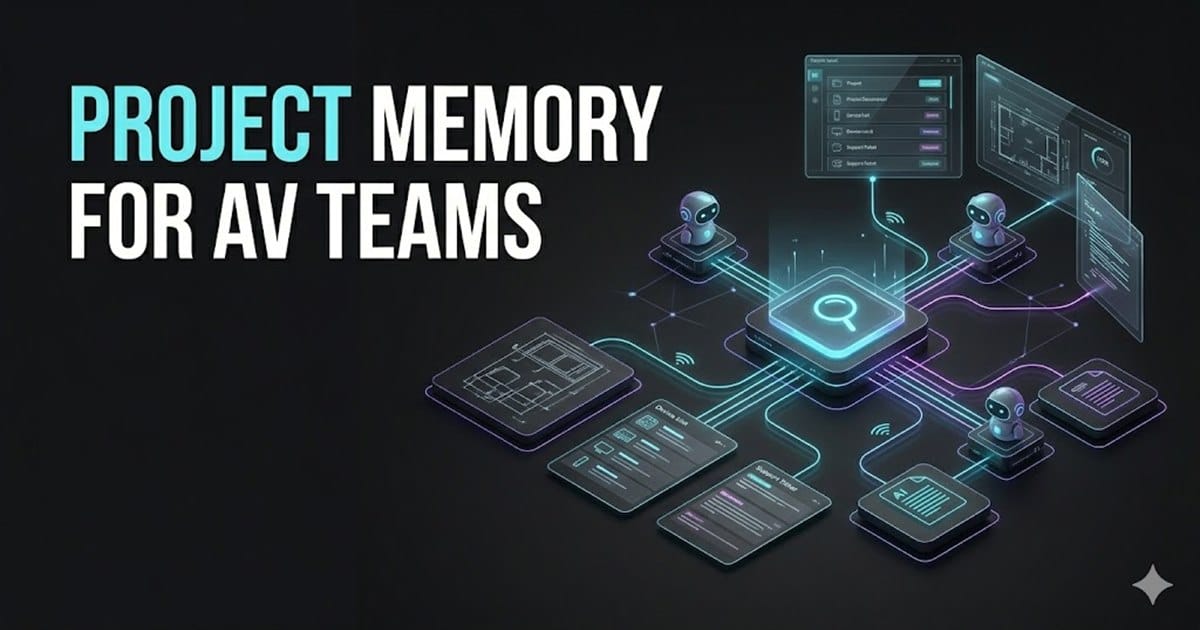
Multi-Agent Knowledge Repositories for AV Projects with Ticketing System APIs
Working Title
Using Multi-Agent Workflows as a Living AV Project Knowledge Repository
Environment
- Platform: Multi-agent AI workflow
- Integration target: Ticketing system with exposed API
- Source documents: Scope of work, drawings, commissioning notes, device lists, manuals, support tickets
- AV context: Crestron, Q-SYS, networked AV, DSP, touch panels, control processors
- Related system concept: AAVIS / Autonomous AV Integration System
- Author: Darrell Cowan
- Publisher: AV Edge Tech
- API platform: Unknown
- Ticketing platform: Unknown
- LLM runtime: Unknown
Problem Statement
AV projects generate a large amount of knowledge, but that knowledge is usually scattered across email threads, PDFs, drawings, programmer notes, commissioning reports, and ticketing systems. When a technician, programmer, or project manager needs an answer, they often have to manually reconstruct the project history.
That creates friction during support and commissioning. A simple question like "why was this VLAN built this way?" or "what display model is in Room 204?" can turn into a hunt through folders, tickets, drawings, and old messages.
A multi-agent workflow can act as a living repository of project knowledge when it is connected to a ticketing system through an exposed API. Instead of forcing people to search manually, the workflow can retrieve the relevant project documents, understand the context, and return a concise technical answer to the person requesting it.
Concept
The core idea is to treat the ticketing system as the user-facing request layer and the multi-agent workflow as the reasoning and retrieval layer.
A user submits a request through the ticketing platform. The API exposes the ticket details to the agent workflow. The workflow identifies the project, gathers related documents, checks historical notes, retrieves device and system information, and returns a useful answer or action plan.
This turns the ticketing system into more than a queue. It becomes the front door to the entire project memory.
Example Flow
Support ticket opened
  -> API sends ticket data to agent workflow
  -> Triage agent identifies project, room, system, and issue type
  -> Retrieval agent searches project documents and prior tickets
  -> AV domain agent interprets the technical context
  -> Action agent drafts a response, checklist, or escalation plan
  -> Ticketing platform receives the structured answer
Agent Roles
A practical AV knowledge workflow can be split into specialized agents:
- Intake agent: reads the ticket, extracts project name, room, device, symptoms, and urgency
- Document retrieval agent: searches scope documents, drawings, manuals, network maps, and commissioning reports
- AV systems agent: interprets the project from an AV engineering point of view
- Code and control agent: reviews available Crestron, Q-SYS, SIMPL+, Simpl#, CH5, or Lua references
- Network agent: reviews switch configuration, VLAN design, Dante/AES67 requirements, and IP addressing
- Response agent: writes a clear answer back into the ticketing platform
- Documentation agent: updates the project knowledge base when new information is discovered
The important design principle is separation of responsibility. Each agent has a focused job, and the workflow orchestrates them into one useful response.
What The Workflow Can Know
When connected to the right project sources, the workflow can answer questions about:
- Project scope and design intent
- Installed hardware and room locations
- Signal flow and system topology
- IP addressing and network segmentation
- Control processor logic and module behavior
- DSP configuration assumptions
- Touch panel UI expectations
- Commissioning test results
- Known defects and open support issues
- Warranty or maintenance notes
- Handoff documentation and client training notes
This is especially valuable after project handover. The workflow can preserve the reasoning behind the system instead of only preserving the final files.
Ticketing System API Integration
The ticketing platform needs an exposed API that supports at minimum:
Read ticket details
Read requester and organization metadata
Read project or asset associations
Attach internal notes
Post public replies
Update ticket status
Add tags or categories
Fetch related historical tickets
More advanced integrations can also connect to asset management records, project management systems, shared document storage, and GitHub repositories.
Example API-Oriented Workflow
on_new_ticket(ticket_id):
    ticket = ticketing_api.get_ticket(ticket_id)
    project = identify_project(ticket)
    documents = retrieve_project_documents(project)
    history = retrieve_related_tickets(project, ticket)
    context = build_context(ticket, documents, history)
    answer = av_agent.generate_response(context)
    ticketing_api.add_internal_note(ticket_id, answer.technical_summary)
    ticketing_api.add_tags(ticket_id, answer.tags)
The workflow should avoid sending unverified instructions directly to the client. A strong implementation posts an internal technical recommendation first, allowing a human technician or project lead to approve the response.
AV Project Lifecycle Use Cases
This type of multi-agent repository can support the full project lifecycle:
- Sales: answer design questions using previous project patterns
- Engineering: compare scope requirements against known device capabilities
- Programming: retrieve reusable modules and prior control logic
- Commissioning: generate checklists from the actual system design
- Support: answer tickets with project-specific context
- Maintenance: update the knowledge base when field changes occur
This is conceptually aligned with the AAVIS approach: using AI agents to bind together AV domain knowledge, project documents, control programming, network design, testing, and documentation into one coordinated system.
Technical Guardrails
A workflow like this should be treated as decision support, not an uncontrolled automation layer.
Recommended guardrails:
- Keep client data inside approved storage and model environments
- Use read-only access for sensitive systems unless write access is explicitly required
- Log every document and ticket used in an answer
- Mark uncertain answers clearly
- Require human approval before closing tickets or sending client-facing instructions
- Keep project-specific knowledge separated between clients
- Track source documents so answers can be audited later
Publisher Note
Author: Darrell Cowan Publisher: AV Edge Tech
Published by Darrell Cowan of AV Edge Tech as part of a field-focused technical documentation workflow for AV programmers, integrators, support teams, and technical leaders building more maintainable AV systems.
Implementation Notes
The knowledge repository should start with the systems the support team already trusts:
- Ticketing platform records
- Project folders and handoff documentation
- Commissioning notes and test reports
- GitHub repositories for control modules, UI code, or automation scripts
- Network and DSP configuration exports where client policy allows them
For early deployments, keep write actions limited to internal notes and tags. Client replies, ticket closure, configuration changes, and escalation decisions should remain human-approved until the workflow has enough reviewed history to prove its reliability.
Final Takeaway
A ticketing system with an exposed API can become the access point for a living AV project knowledge repository. When multi-agent workflows are connected to project documents, code repositories, commissioning notes, and support history, the support process becomes faster and more consistent.
The real value is not just answering tickets. The value is preserving how the project works, why it was built that way, and what needs to happen next.